Coming soon · Android + iOS

GardenPal

Plant by the moon, grow by nature.

  • The moon comes first
  • Planting days by the moon
  • 38 fruits in depth
  • No account, no ads
Scroll
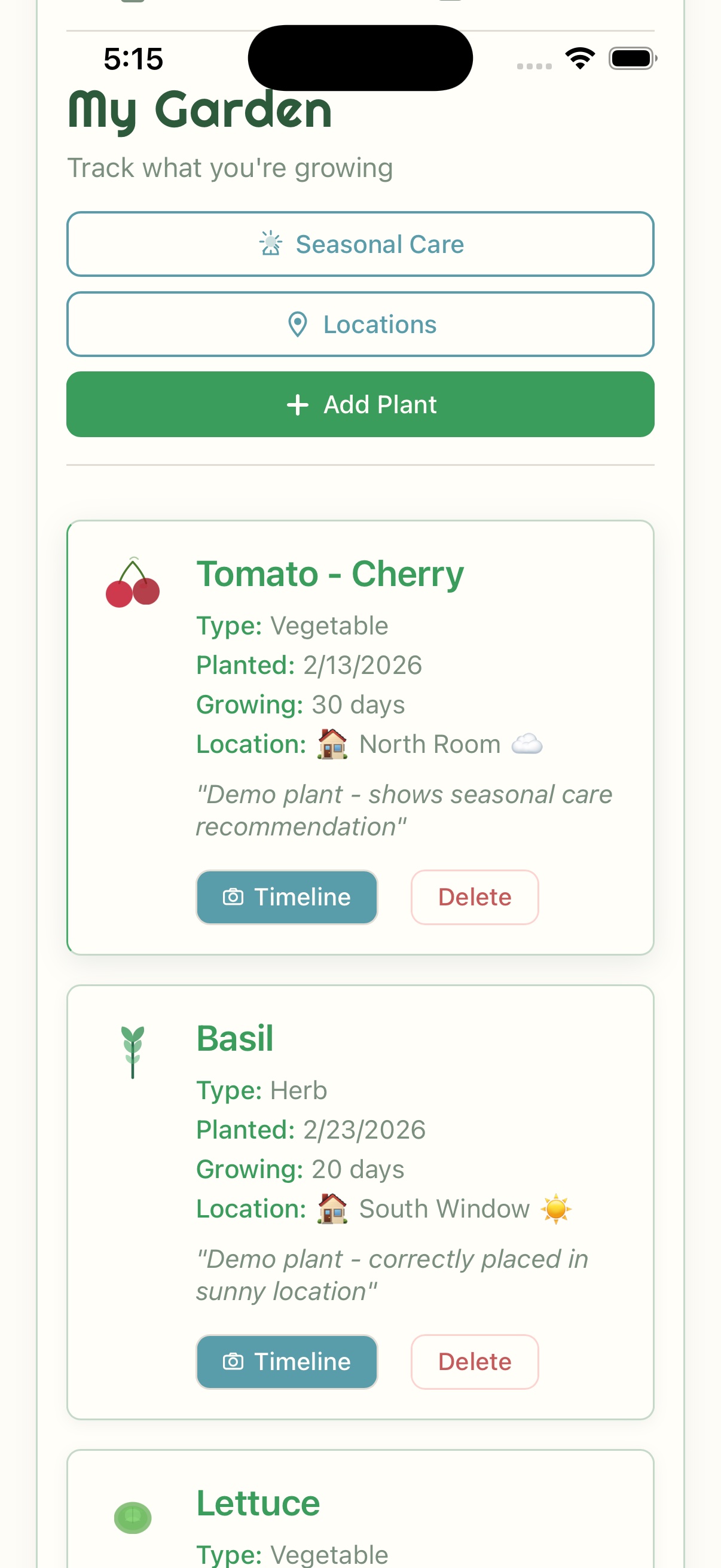
A plant's journal in GardenPal: Tomato - Cherry Sweetie, picked 5 times this year, 4 lb 8 oz and 14 in all, with dated harvests (12 oz, the last pickings before the frost; 1.25 lb; 1.5 lb; 1 lb; 14, the first ripe cluster) and a photo of the first flower clusters
Journal
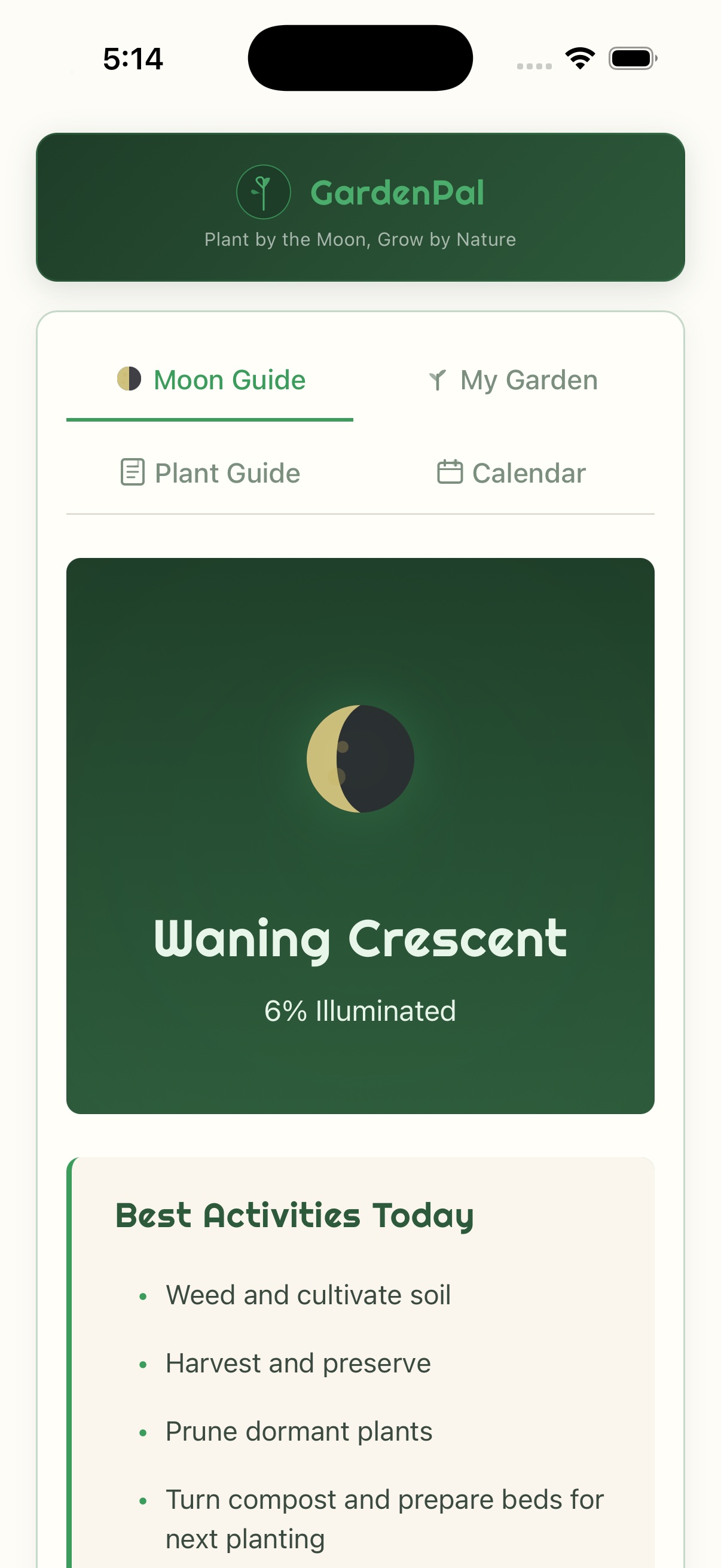
GardenPal's Moon tab: a full moon, 99% lit, with moonrise at 8:08 PM and moonset at 11:21 AM, called the Hunter's Moon, on a dark green panel with its reading, above Good to do today: pick fruit, herbs and flowers, dry herbs and save seed, plant potatoes, onions and garlic from tomorrow; the Moon, My Garden, Plants and Calendar tabs are at the bottom
Moon
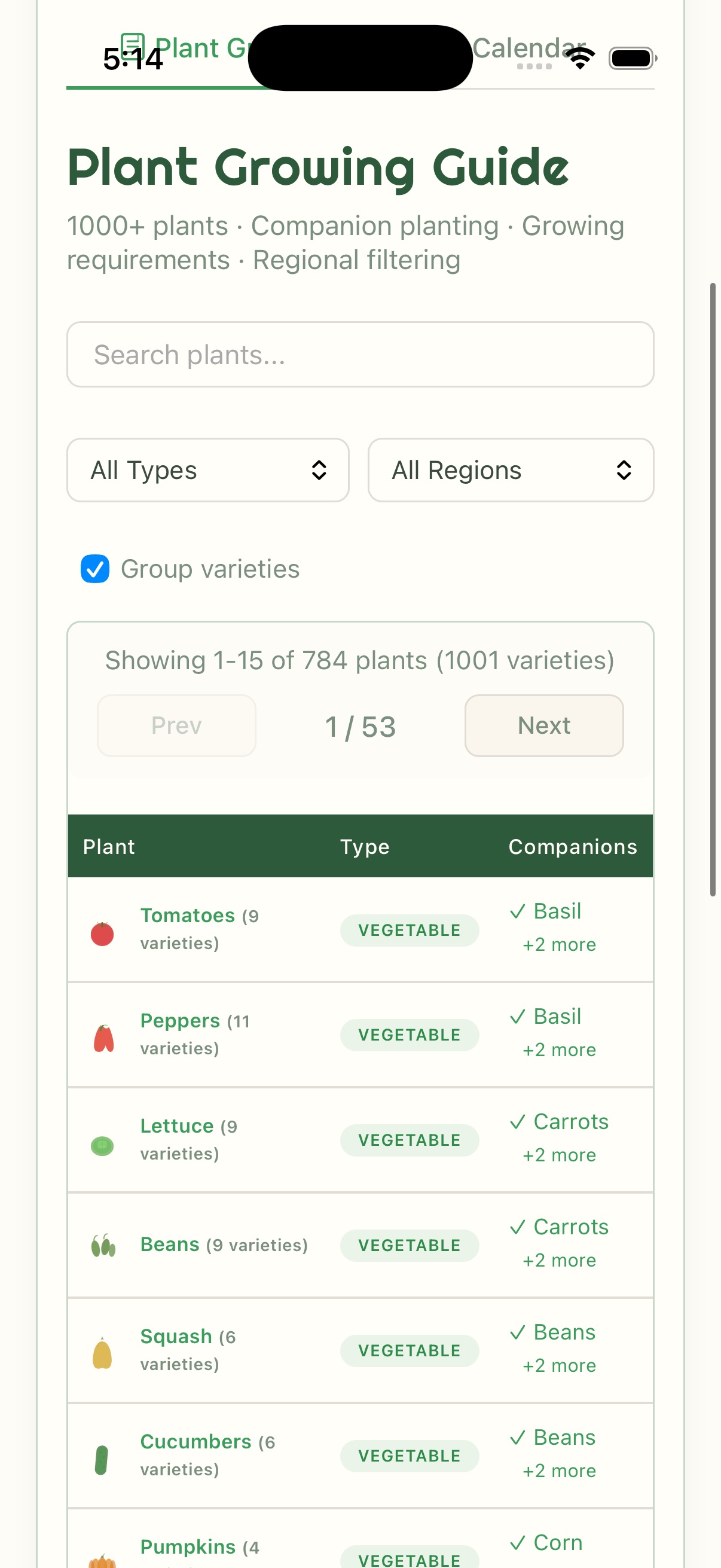
GardenPal's Plants tab: a search box, kinds of plant (All, Vegetables, Fruit, Herbs, Flowers), 783 plants with varieties grouped, and a list starting with tomatoes, peppers, lettuce and beans
Plants

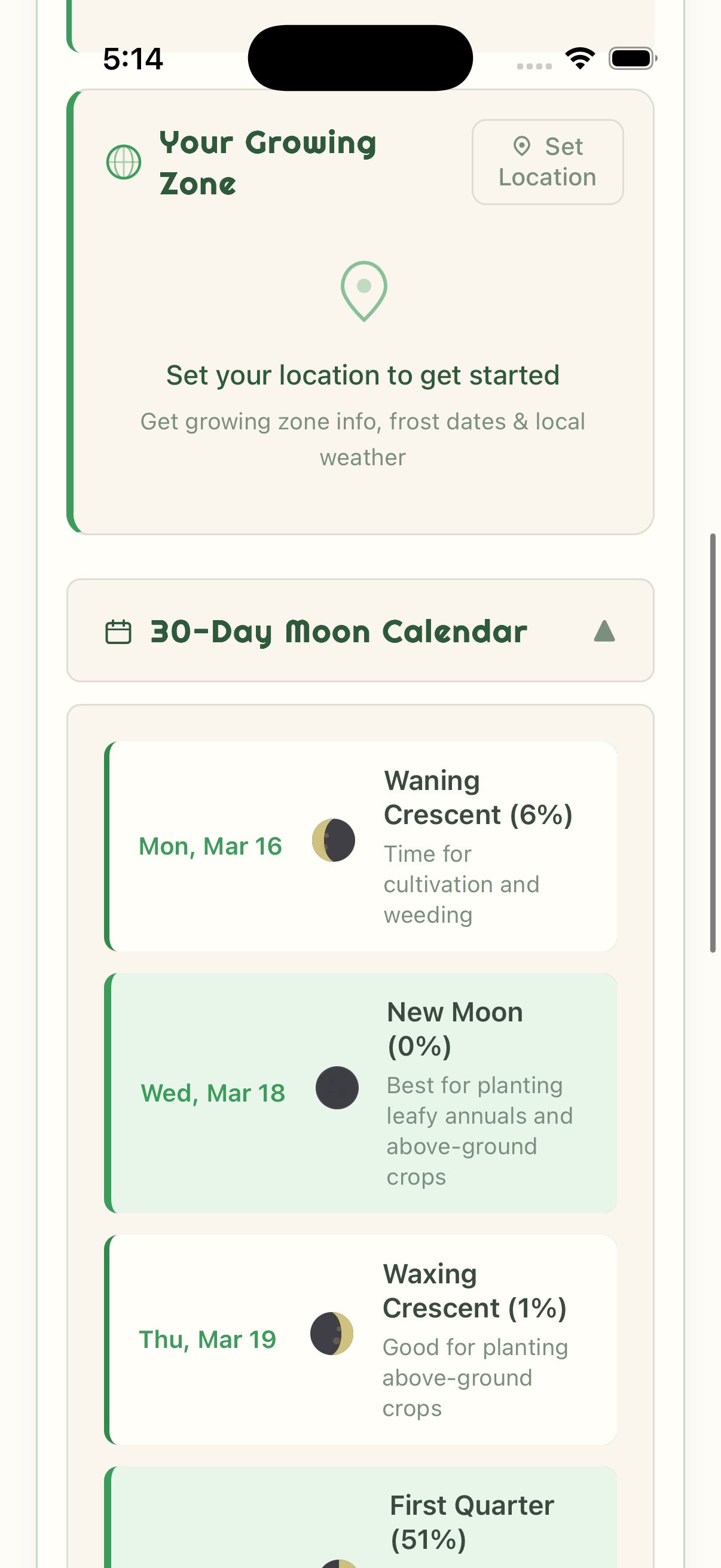
GardenPal opens on today's moon and what it means for your garden. It shows your planting days by the moon, names every full moon, lists what to start indoors, plant out or sow this week, covers 38 fruits in depth, and keeps your plants, journal, harvests and tasks on your phone. These are real screens from the app.

  • 8
    moon phases, each with what it means for the garden
  • 13
    full-moon names, and the Blue Moon
  • 38
    fruits, from planting to picking
  • 7-day
    forecast, with optional frost alerts
  • 0
    accounts, ads or in-app purchases
Features

Four tabs, one growing season.

Moon, My Garden, Plants and Calendar: the app's four tabs, each doing one job. Everything here is in the app today.

  • Moon
  • My Garden
  • Plants
  • Calendar
  • 01

    The moon comes first

    GardenPal opens on today's moon, drawn as it looks tonight, with how much is lit, moonrise and moonset for your town, and what the phase means for the garden by old tradition. It lists what is good to do today and what is better left for another day. Worked out on your phone, so it works offline.

  • 02

    Your planting days by the moon

    Each plant's page shows the moon's days inside your own planting dates: leafy crops as the moon grows, fruiting crops near the first quarter, roots and bulbs after the full moon. This week lists the moon days ahead. A gentle guide from tradition, not a rule.

  • 03

    The moon's sign, the almanac way

    The Moon tab names the sign the moon is in, the way the old almanacs print it, and when it changes; the calendar shows it for any day. A plant's planting days note the fruitful signs too. Not for you? Hide the signs in Settings.

  • 04

    Full-moon names

    Wolf, Snow, Worm, Pink, Flower, Strawberry, Buck, Sturgeon, Corn, Harvest, Hunter's, Beaver and Cold, each with its story and a note for the garden, and a Blue Moon when a month has two. South of the equator, full moons are named for your own season. An optional note arrives the evening before each full and new moon.

  • 05

    Fruit, in depth

    38 fruits that home gardeners grow, from apples and pears to blueberries, figs and lemons in pots: when to plant, pollination, pruning, years to the first fruit and picking, with a fruit grower's year calendar.

  • 06

    This week in your garden

    What to start indoors, plant out or sow outdoors this week, worked out from your frost dates, with the moon days ahead and the crops tradition favors for the current moon first. Tap a plant to see its dates, add it to your garden or plan a task.

  • 07

    Your frost dates and planting calendar

    Type your town and GardenPal works out your hardiness zone and average frost dates. Know your own? Enter them instead. Close to 400 plants then show your own planting dates, from when to start indoors to roughly when to harvest.

  • 08

    A plant guide for your season

    Nearly 1,000 plants and varieties: vegetables, herbs, fruit, flowers, trees and shrubs, houseplants and mushrooms, with sun, water, spacing, good companions and plants to keep apart. Search, filter by kind, or see what to plant this week.

  • 09

    A journal that remembers the harvest

    Each plant keeps a dated journal of notes, photos and its height. Log a harvest from any food plant, by the piece, the bunch or by weight, and This year adds up the whole garden's pickings, ready to share as text. Young plants show roughly when the first picking is likely.

  • 10

    Tasks, reminders and the forecast

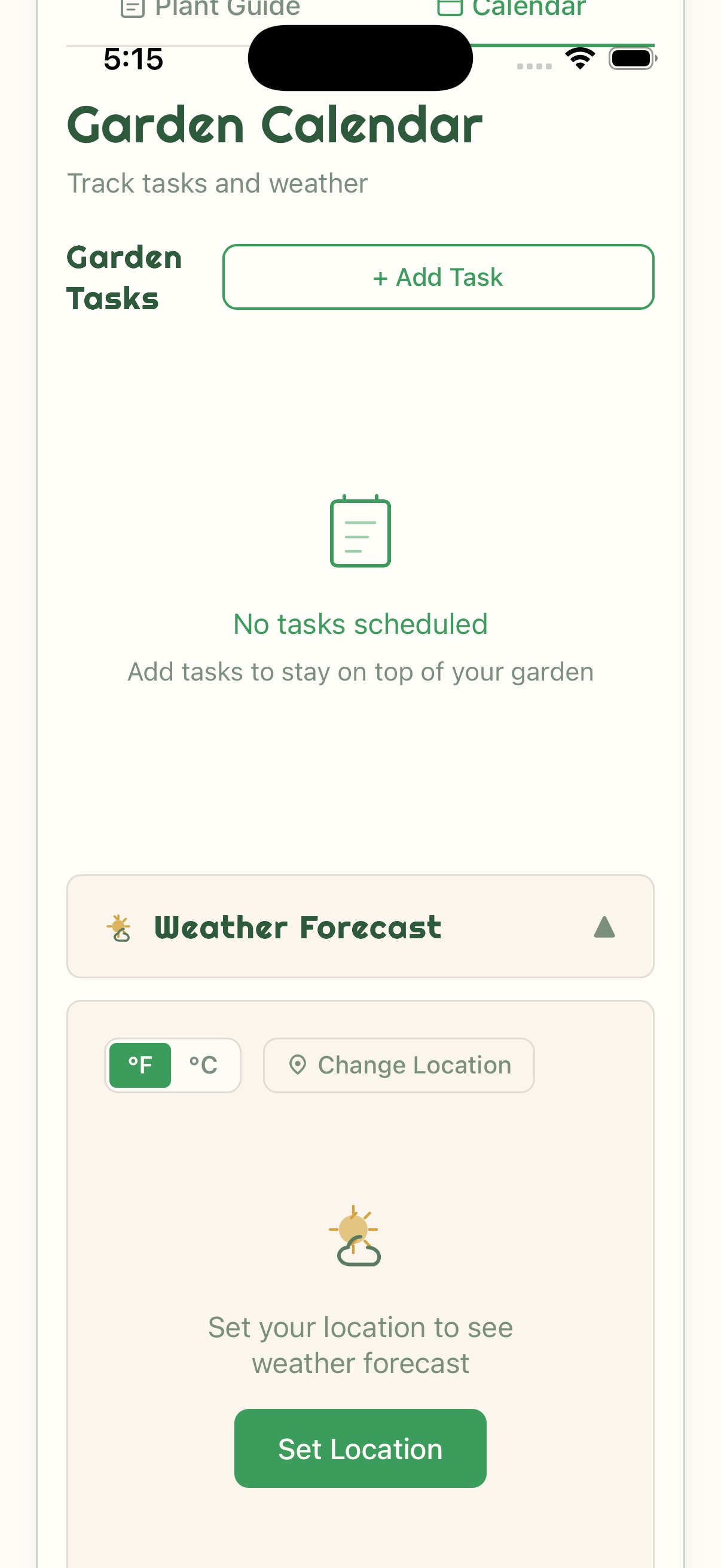
    Tasks that repeat every day, week, 2 weeks or month, with the moon phase on each date. Switch on Remind me for a notification on the due day, and on frost alerts for a warning the evening before a forecast frost. A 7-day forecast is there too.

  • 11

    The moon on your home screen

    On Android, a moon widget shows today's moon, drawn for your half of the world, with what the day suits by tradition and the next full moon. It comes in two sizes, and a tap opens GardenPal. Not on iPhone yet.

  • 12

    Yours to keep

    Save your garden to one file and restore it on a new phone. Units and dates follow where you garden, and a calm Evening theme is there when you want it.

Deep dive

Made for the way gardens grow.

The pictures below are real screenshots of the app, set to Denver in late October on a full moon. The plants, journal entries, harvests, tasks and weather are sample data.

01 — The Moon tab

Today's moon, and what it means for the garden.

GardenPal opens on today's moon, drawn as it looks tonight, with how much of it is lit, moonrise and moonset for your town, and what the phase means for the garden by old tradition. Under it, a short list says what is good to do today and what is better left for another day, and a line names the sign the moon is in, the way the old almanacs print it. The moon is worked out on your phone, so the Moon tab works without a connection.

The moon panel on the Moon tab: a full moon, 99% lit, moonrise 8:08 PM and moonset 11:21 AM, called the Hunter's Moon, with its reading: by old tradition this is the harvest night, when flavor and fragrance are said to be at their best; pick herbs, fruit and flowers, and save seed
Good to do today: pick fruit, herbs and flowers; dry herbs and save seed; plant potatoes, onions and garlic from tomorrow; plant bulbs, trees and shrubs as the moon wanes. Better left for another day: sowing leafy crops. Below it, the moon's sign: in Taurus until 9:01 PM tomorrow, a productive sign in the old almanacs, good for root crops or flowers
In the app · Moon tab, a full moon, and what is good to do today
02 — Planting days by the moon

Your planting days, by the moon.

Each plant's page shows the moon's days that fall inside your own planting dates, worked out from your frost dates: leafy crops as the moon grows, fruiting crops near the first quarter, roots and bulbs after the full moon. With the almanac signs on, it also notes the fruitful signs among them. This week lists the moon days ahead for the whole garden. It's a gentle guide from an old tradition, not a rule.

Daffodil's planting calendar in the Plants tab: sow outdoors from Sep 17 to Nov 12, now; by the moon, Oct 27 to Oct 31, after the full moon, for roots and bulbs; fruitful signs too, Oct 30 to Oct 31; and a note that moon days follow the old phase tradition and are a guide, not a rule
In the app · Plants tab, Daffodil
03 — This week in your garden

What to sow this week, where you live.

Type your town and GardenPal works out your hardiness zone and average frost dates; there is no GPS. Know your own frost dates? Enter them instead. This week's card then lists what to start indoors, plant out or sow outdoors, with the moon days ahead and the crops tradition favors for the current moon first. Tap a plant to see its dates, add it to your garden or plan a task.

This week in your garden: frost season has begun, with the first fall frost usually around Oct 1 and the last spring frost around Apr 30; moon days ahead, roots and bulbs from Tue, Oct 27 to Sat, Oct 31; lists of Plant out (3) and Sow outdoors (19) with Lily, Tulip, Allium, Crocus, Daffodil and more, and a note that the dates are worked out from your zone's average frost dates
In the app · Denver, late October
04 — Full-moon names

Every full moon has a name and a story.

The Moon gardening page lists this year's full moons: Wolf, Snow, Worm, Pink, Flower, Strawberry, Buck, Sturgeon, Corn, Harvest, Hunter's, Beaver and Cold, and a Blue Moon when a month has two. Each comes with the story behind its name and a note for the garden. South of the equator, full moons are named for your own season. Switch on the moon notes and GardenPal tells you the evening before each full moon, by name, and each new moon. Moon gardening is shown as the old tradition it is, not as science.

The Moon gardening page: Full-moon names this year, with the Wolf Moon, Snow Moon, Worm Moon, Pink Moon and Flower Moon, each with its date, the story behind its name and a note for the garden
In the app · Moon gardening, this year's full moons
05 — Fruit, in depth

When to plant, prune and pick your fruit.

GardenPal covers 38 fruits that home gardeners grow, from apples, pears, plums and cherries to blueberries, currants, rhubarb, grapes, figs, olives and lemons in pots. Each has its planting time, including the bare-root season, pollination partners, pruning, years to the first fruit and winter chill, and a fruit grower's year that shows the months to plant, prune and pick. The advice is based on the Royal Horticultural Society and US university extension services.

Apples in the Plants tab: the fruit grower's year, a calendar of the months to plant, prune and harvest; when to plant (bare-root plants from late autumn to early spring); pollination (needs a second apple variety nearby); pruning in winter; first fruit in 2 to 5 years
In the app · Plants tab, Apples
06 — Journal and harvests

A journal that remembers the harvest.

Each plant keeps a dated journal: notes with or without a photo, and the plant's height, so GardenPal can work out how much it has grown. Add a harvest from any food plant, by the piece, the bunch or by weight, with a note, and its page adds up the year's pickings. Young plants with a known time to harvest show roughly when the first picking is likely, with Remind me to check. This year, in My Garden, shows the whole garden's year, with arrows back through earlier years and Share as text.

A tomato plant's journal: picked 5 times this year, 4 lb 8 oz and 14 in all, first Sep 21, latest Oct 25; harvest entries for 12 oz (last pickings before the frost), 1.25 lb (ripening fast in the warm spell), 1.5 lb, 1 lb and 14 (the first ripe cluster, sweet as candy), and a photo entry from August
A young lettuce's page: planted Oct 8 on the kitchen windowsill, 18 days growing; first picking likely from about Nov 7 to Nov 27 (30 to 50 days), with Remind me to check, and buttons to add a photo, a note or a harvest
In the app · a plant's harvests, and a young plant's first picking; the garden is sample data
07 — On your home screen

Today's moon, on your home screen.

On Android, GardenPal has a moon widget for your home screen. The wide one shows the date, today's moon drawn for your half of the world with how much is lit, what the day suits by tradition and the next full moon; the small one shows the moon and how much is lit. A tap opens GardenPal. There's no widget on iPhone yet.

An Android home screen with GardenPal's wide moon widget: Sat, Oct 24, a waxing gibbous moon, 97% lit, fruiting crops by tradition, and the Hunter's Moon on Mon, Oct 26
On an Android phone · two days before the Hunter's Moon
08 — Tasks, reminders and moon notes

A reminder for the jobs, a note for the moon.

Tasks can repeat every day, week, 2 weeks or month, and show the moon phase on their date. Switch on Remind me for a notification on the due day, around the time you choose. Optional frost alerts warn you the evening before a forecast frost, using the forecast loaded the last time you opened GardenPal, and an optional note arrives the evening before each full and new moon.

Edit task: Water the tomato bed, due today, repeat Never, with Remind me switched on for 08:00 AM and a note that reminders are on for GardenPal
Reminders in Settings: the default reminder time, 08:00 AM; frost alerts, off; and full and new moons, switched on: a note the evening before, at 6 pm
In the app · a task with a reminder, and the moon notes in Settings
How it works

Three steps to a plan.

No account and no sign-up: open the app and start.

  1. Type your town

    Search for your town or city. GardenPal works out your hardiness zone and average frost dates, and loads the forecast for that place. It never asks for GPS.

  2. Read the moon

    The Moon tab opens on today's moon, what it means for the garden and what is good to do today, then the moon days ahead and this week's lists of what to start, plant out or sow.

  3. Keep your garden

    Add plants from the guide or by hand, keep a dated journal with photos, notes and harvests, and set tasks and reminders. It all stays on your phone.

Privacy

Your garden stays on your phone.

  • No account

    No sign-up or login, no ads, and no analytics or crash-reporting code in the app.

  • On your device

    Plants, journal entries, harvests, photos, tasks and places are kept in the app's own storage on your phone.

  • No GPS

    You type your town. That search, and the coordinates of the place you pick for the forecast, go to Open-Meteo.

  • Permissions

    On Android, GardenPal asks only for notifications, when you switch on a reminder, frost alerts or the moon notes. On iPhone, iOS may also ask before GardenPal uses the camera or your photos.

The privacy policy lists exactly what goes over the network, and when.

What you need

Nothing complicated.

  • Android7.0 or newer
  • iPhoneiOS 15 or newer, coming soon
  • AccountNone needed
  • InternetOnly to find your town, get the forecast and join the optional newsletter — the rest works offline
  • PermissionsNotifications, if you use reminders, frost alerts or the moon notes; on iPhone, iOS may also ask for the camera or photos
  • LocationYou type your town; GardenPal never asks for GPS
Launch

Coming soon. No subscription.

GardenPalComing soon

No account, no ads, no in-app purchases.

  • Today's moon, your planting days by the moon and the full-moon names
  • Your own frost dates, what to sow this week and a 7-day forecast
  • Nearly 1,000 plants and varieties, and 38 fruits in depth
  • A garden journal with photos and harvests, tasks and reminders
  • A moon widget on Android, back up and restore, and a calm Evening theme
  • No account: your garden stays on your phone
Get notified at launch
Download on the App Store Get it on Google Play

Coming soon to the App Store and Google Play

FAQ

Questions.

When can I get GardenPal?

GardenPal isn't in the stores yet. It is coming to Android and iPhone. Choose Notify me at launch on the contact form and we'll tell you when it's in the stores.

How much does it cost?

The price will be announced at launch. There's no subscription, no in-app purchases and no ads, and every feature is included.

Does it work offline?

Yes, for almost everything: the moon and your planting days by the moon, the full-moon names, this week's list, your zone and frost dates, the plant guide and fruit pages, your garden, journal and harvests, and your tasks and reminders. Finding your town, the forecast and the optional newsletter need a connection; without one, the last forecast you loaded stays on screen.

Do I need an account? Does it track me?

No account, no ads and no analytics. Your garden is stored on your phone. The privacy policy lists the few things that go over the network.

How does it know my zone and frost dates?

You type your town. Near one of the app's reference cities, GardenPal uses that city's zone; elsewhere it estimates from nearby cities or, as a last resort, from latitude, and says which. The reference cities are in the US, Canada and Europe, with 37 more in Australia, New Zealand, South Africa and Asia. You can always pick your own zone, from 1a to 13b, or enter your own frost dates.

Does it work in the southern hemisphere?

Yes. South of the equator the moon, frost dates, fruit months and full-moon names follow your own seasons. The reference cities include some in Australia, New Zealand and South Africa, and you can enter your own zone or frost dates.

Does it show moon signs?

Yes. The Moon tab names the sign the moon is in, the way the old almanacs print it, and when it changes; the calendar shows it for any day, and a plant's planting days note the fruitful signs. It's a tradition, not science, and you can hide the signs in Settings.

Is there a widget?

On Android, yes. A moon widget for your home screen shows today's moon, drawn for your half of the world, and how much is lit; the wider size adds what the day suits by tradition and the next full moon. A tap opens GardenPal. There's no widget on iPhone yet.

Does it send reminders?

Yes. Switch on Remind me on a task and GardenPal sends a notification on its due day, around the time you choose, including for repeating tasks. Optional frost alerts warn you the evening before a forecast frost, using the forecast loaded the last time you opened GardenPal, and an optional note arrives the evening before each full and new moon. The app asks for permission to send notifications only when you switch one of these on.

Can I back up my garden?

Yes. Save your plants with their photos, journal and harvests, your tasks, places and settings to one file, and keep it in Drive, in your email or on a computer. Restore it on a new phone. Restoring only adds what is missing; it never deletes or changes anything you already have.

Is there a dark theme?

Yes. In Settings you can choose Light, Evening or Like my phone. Evening is a calm dark theme; the cream garden look stays the default.

Which plants are in the guide?

Nearly 1,000 plants and varieties: vegetables, herbs, fruit, flowers, trees and shrubs, houseplants and mushrooms. Each has sun, water and spacing, and most list good companions and plants to keep apart. Close to 400 show your own planting dates, worked out from your frost dates.